01 / Live
Match updates
Show arena, mode, timer, score, and status in real time.
Rocket League RPC turns match data into a clean Discord Rich Presence while you play on Windows.
Features
Keep Discord aligned with the match without babysitting another window.
Show arena, mode, timer, score, and status in real time.
Choose exactly what appears in your presence.
Save multiple setups and switch quickly.
App preview
Home gets the spotlight, while field selection and live match views stay readable at their natural proportions.
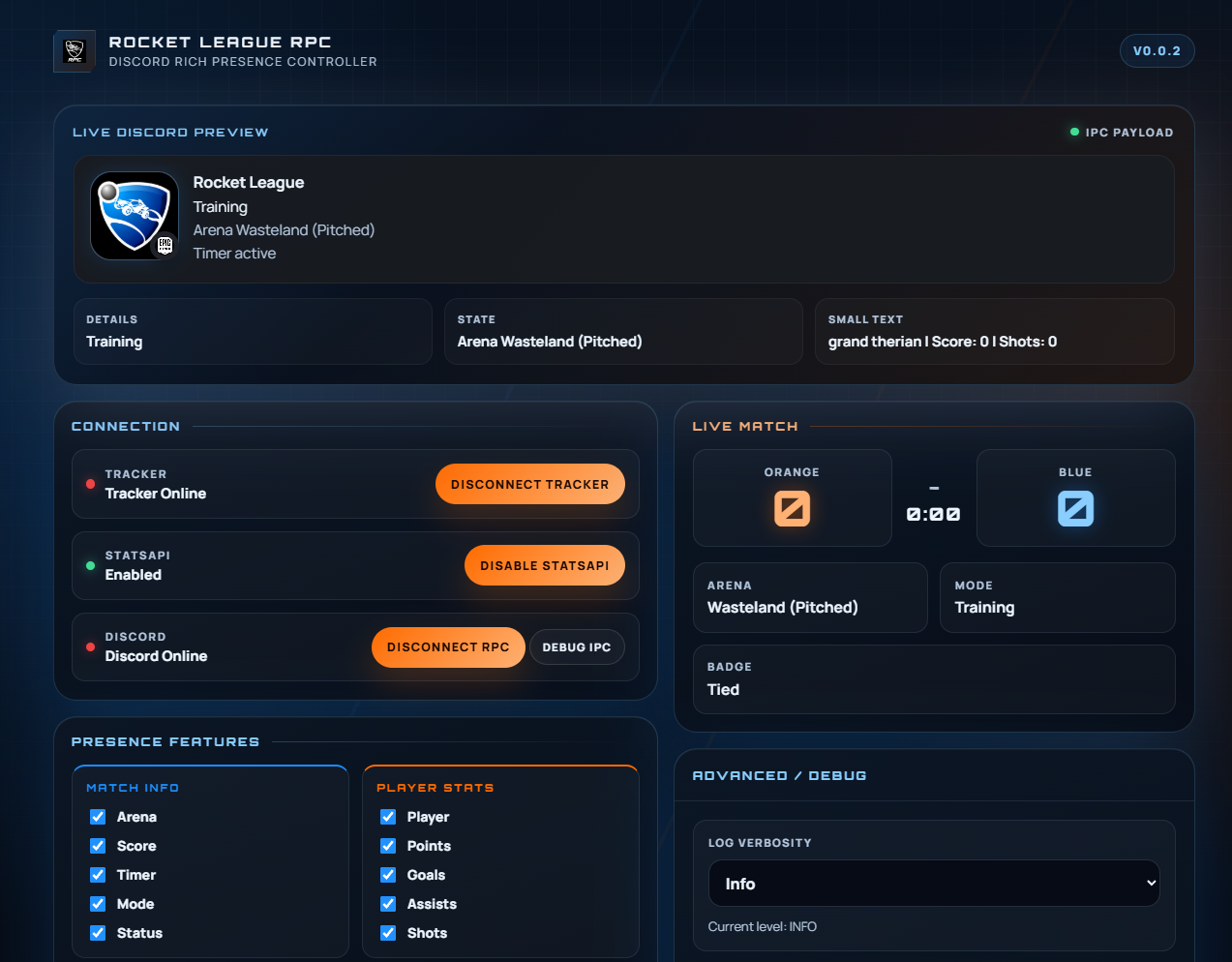
Start from the main dashboard and access your core RPC controls.
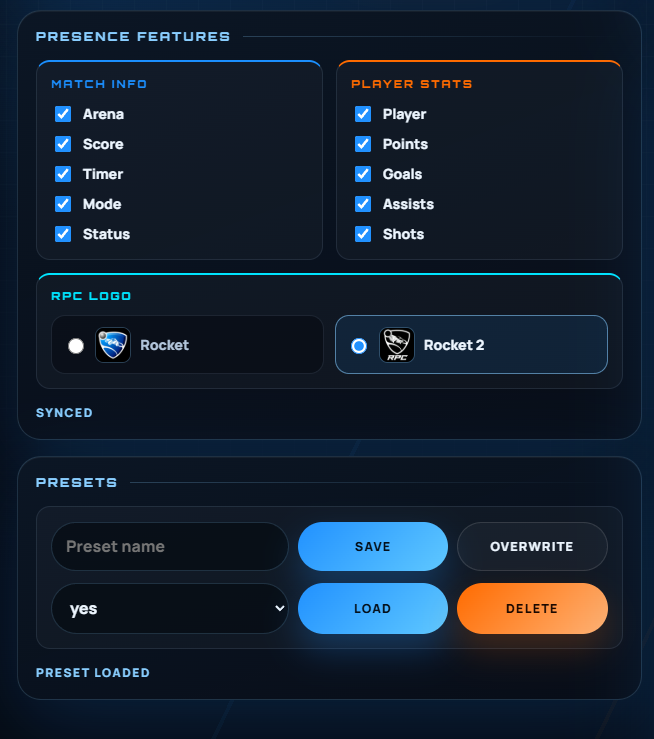
Pick exactly which details appear in your Discord Rich Presence.
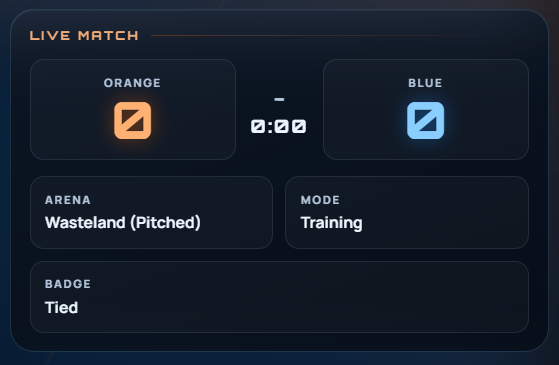
See real-time match information reflected instantly on your status.
How it works
Read match state, format the presence, and update Discord automatically.
Listen for Rocket League state changes and match events.
Choose which details should appear in your presence.
Update Discord while you play.
Get started
Install the app, connect Discord, and start playing.
Install Rocket League RPC on Windows in minutes.
Quick setup with the Windows installer.
Open the app and connect Discord Rich Presence.
Let the app update your presence while you play.
<Install Dir>\TAGame\Config\DefaultStatsAPI.ini.Need help? Check issues or discussions.
Developers
Source code, issues, and contributions live in the repository.
Review the implementation and project structure.
Open issues and contribute fixes or improvements.
Use GitHub as the main place for development and updates.